Revised: 11/07/2012
Go to Reports>>Check Registers>>Detail Check Register - By Pay Group
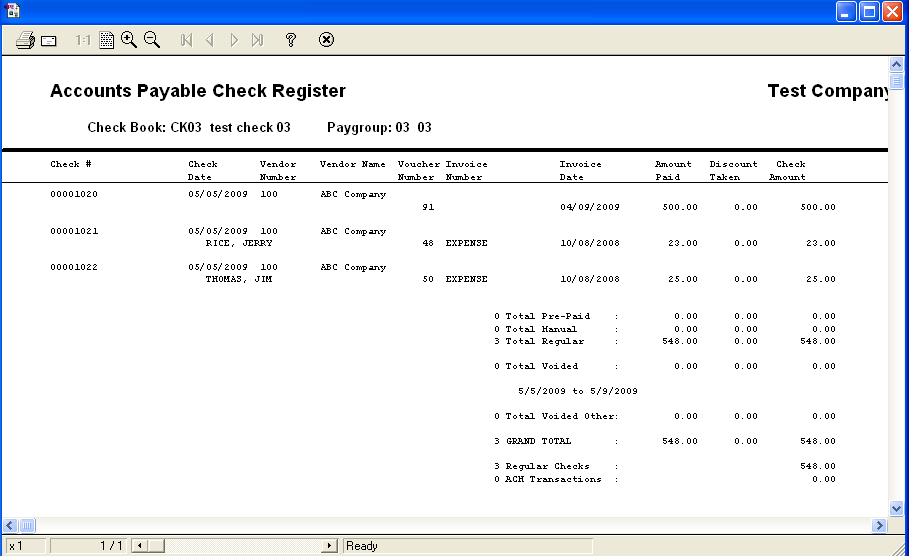
This program will generate an accounts payable check register based on the selections made for the report. This program is automatically run as part of the Create, Print and Post Checks process when the Check Register is printed after posting.
At the top of the view are the following functions:
When this program is automatically run as part of the Check Processing Wizard process, this field will display the generated Batch ID to print the posted check register. When the Batch ID is shown, press the preview or print buttons to view/print out the posting check register. All other selection information should be left blank for the posting report.
Date fields may be left blank and check numbers may be used for the report
Check Number may be left blank and date fields may be used for the report
Both date and check number fields may be filled in for the report.
When running the report from the menu, enter the following selection options in the fields.
Enter or select a Pay Group to generate a report for the selected pay group. Leave the pay group field blank to generate a report that will include all pay groups.
Enter or select a date to begin the check register report. This field may be left blank.
Enter or select a date to end the check register report. The generated report will include all checks in the date range entered. This field may be left blank.
Enter a beginning check number for the report range or leave this field blank.
Enter an ending check number for the report range or leave this field blank.
Click in the Include G/L Distributions box to insert a check mark indicating that general ledger distribution information should be included in the generated report.
Enter a dollar amount to restrict the report to checks written at or below the amount entered.
***************************************************